AI Skin Analysis
A skin check from one selfie.
Drag & drop a photo here
Front-facing · eye level · neutral face · good light
Uploaded only when you tap Analyze · deleted within 24 hours
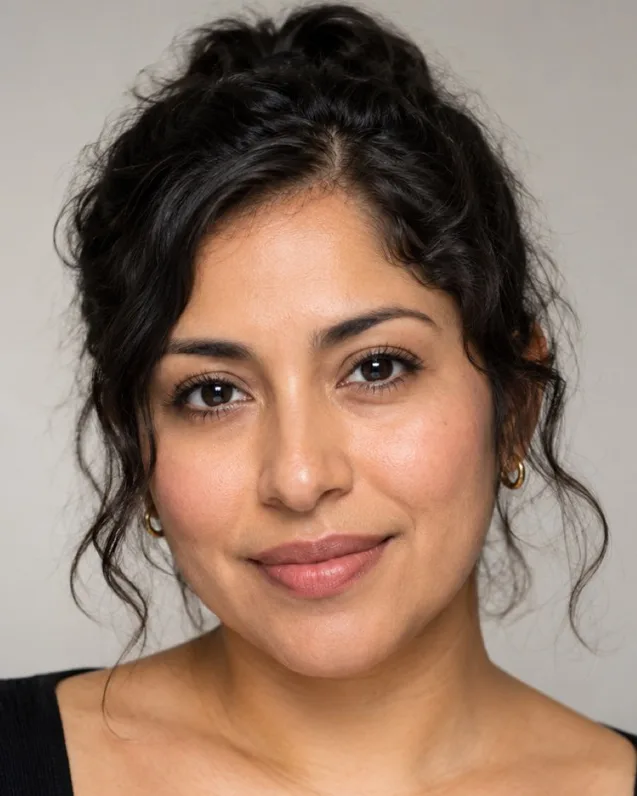
AI-generated sample face · real measurements
Sample result
7.0 / 10
Attractive
- Eyes98
- Symmetry80
- Golden Ratio97
- Jawline92
- Facial Thirds82
For adults 18+, for entertainment and self-improvement. Scores reflect geometry in one photo, not your worth. Terms
How it works
- 1Upload a photoUse a clear, front-facing photo in natural light. Adults 18+ only.
- 2AI analyzes itYour photo is sent to our server for this one analysis and deleted afterwards.
- 3Get your ai skin analysis resultSee the summary free; the detailed breakdown is a one-time credit cost.
AI skin analysis reads a clear selfie and gives an overall skin score out of 100 and your likely skin type, rating texture, tone, redness, under-eyes, shine, pores, fine lines and dark spots. The detailed result adds morning and evening routines and a 4-week plan. It is not a medical diagnosis.
What is an AI skin analysis?
An AI skin analysis reads a selfie and describes what your skin looks like — texture, tone, redness, shine, pores and more — then gives an overall skin score out of 100 and your likely skin type. It is a cosmetic read of one photo, meant to help you choose a sensible routine, not a medical diagnosis.
The result opens with your score, a likely skin type (for example "likely combination skin") and a short summary that leads with what your skin does well.
What does the skin analysis check?
It rates eight visible measures, each with a short value such as "Good", "Mild" or "Visible" and a note on where it shows:
- Texture: smoothness, bumps and roughness.
- Tone evenness: patches, uneven colour and post-blemish marks.
- Redness: around the nose, cheeks and chin.
- Under-eye: darkness and puffiness.
- Shine and oil: mostly in the T-zone.
- Pores: how visible they are, and where.
- Fine lines: forehead, eyes and mouth.
- Dark spots: sun spots and marks.
Half of these are free. The full details add the rest, plus what your skin does well, a morning routine, an evening routine, over-the-counter ingredients to look for and a 4-week plan.
What is my skin type?
Most people fall into one of four everyday skin types: oily (shine across the face, more visible pores), dry (tight, flaky or dull), combination (an oily T-zone with normal or dry cheeks) and normal (balanced, few concerns). Sensitive skin can overlap with any of them.
A photo shows some of these signs — shine, visible pores, flaking, redness — so the result gives a likely type rather than a certain one. Feel counts too: if your skin feels tight a few hours after washing, it leans dry even if it looks shiny in a photo. Sensitivity in particular is about how skin reacts, which a photo cannot see.
Skin texture vs skin tone: what is the difference?
Skin texture is how the surface feels and catches the light — smooth or rough, with or without bumps, flakes, enlarged pores or fine lines. Skin tone is colour: how even it is across your face, and whether there are red areas, dark spots or marks left after blemishes.
They need different care, which is why the result scores them separately. Texture tends to respond to regular, gentle exfoliation and moisture; uneven tone tends to respond to daily sunscreen, patience and ingredients aimed at dark spots. Treating one as the other is a common reason a routine does not seem to work.
Lighting changes how both read. Light from the side or above makes texture look deeper than it is, while warm light hides redness. A clear, front-lit photo gives the fairest read of both, and the notes on each measure say where on your face it shows — for example redness around the nose, or shine across the forehead.
Is an AI skin analysis the same as seeing a dermatologist?
No. This tool is not an AI dermatologist and does not diagnose skin conditions. It describes what is visible in one photo and suggests a cosmetic, over-the-counter routine.
A dermatologist examines your skin in person, asks about your history and can diagnose and treat conditions such as acne, rosacea or eczema. If something is persistent, painful, spreading or changing — including a mole or spot that looks different from before — see a dermatologist or doctor. The result never suggests prescription treatments, injectables or procedures.
How to build a skincare routine from your result
Start simple and add one thing at a time. The detailed result tailors this to your skin, but the backbone of most routines is the same:
- Morning: a gentle cleanser (or just water), a moisturiser that suits your skin type and a broad-spectrum sunscreen every day.
- Evening: cleanse off sunscreen and the day, then moisturise. This is where a targeted product for your main concern fits.
- One change at a time: introduce new products one by one, a couple of weeks apart, and patch-test first, so you can tell what helps and what irritates.
- Give it weeks: texture and tone change slowly. The 4-week plan in the details is built around that.
Textured skin and uneven tone are common targets. Gentle exfoliation and consistent sunscreen are the usual starting points; anything stronger is a conversation for a dermatologist.
How to get an accurate skin read from a selfie
- Wash your face and skip makeup. Foundation and concealer hide exactly what the AI is looking for.
- Face a window in daylight. Overhead light exaggerates texture; warm bulbs hide redness.
- Turn off filters, beauty mode and skin smoothing. Smoothing can make the result look better than your skin is.
- Hold the camera at arm's length, at eye level, with your whole face in focus.
To track progress, retake in the same spot and light every few weeks. A brand-new photo gets a fresh analysis; the same photo shows the stored result.
Related checks and pricing
Skin is a big part of how old you look. To see the age each part of your face reads, try How Old Do I Look; for a plan that ranks skin against hair, brows and style, take the glow up test.
The skin score, likely skin type, summary and half of the measures are free. The full details — the remaining measures, both routines, ingredients and the 4-week plan — cost 20 credits, one time. Credits never expire and there is no subscription. Free analyses are limited per device per day.
Your photo is uploaded only after you tap Analyze, read by an AI vision model, deleted within 24 hours and never used for training. For adults 18 and over.
Frequently asked questions
Can AI analyze my skin from a selfie?
Yes, as a cosmetic read. The AI looks at texture, tone evenness, redness, under-eye, shine, pores, fine lines and dark spots in one photo, gives an overall skin score out of 100 and your likely skin type. It is not a medical diagnosis.
What is my skin type?
The result gives a likely type — oily, dry, combination or normal — based on visible signs such as shine, pores and flaking. How your skin feels matters too: tightness after washing points to dry skin, and sensitivity cannot be seen in a photo.
Is this an AI dermatologist?
No. It does not diagnose skin conditions or suggest prescription treatments or procedures. For anything persistent, painful or changing, including a mole that looks different, see a dermatologist.
How accurate is a skin analysis from a photo?
It depends on the photo. Makeup hides what the AI looks for, beauty filters smooth texture away, overhead light exaggerates texture and warm light hides redness. Use a clean face, daylight from the front and no filter.
What routine should I follow?
Keep it simple: a gentle cleanser, a moisturiser that suits your skin type and daily sunscreen, then one targeted product for your main concern, added one at a time. The full details give a morning and evening routine, over-the-counter ingredients and a 4-week plan for your result.
Is the skin analysis free?
Yes. Your skin score, likely skin type, summary and half of the measures are free. The full details cost 20 credits, one time — no subscription, and credits never expire. Free analyses are limited per device per day.
How do I track progress?
Take a new photo every few weeks in the same place, light and distance as the first. A new photo gets a fresh analysis; the same photo always shows its stored result.
Do you upload or store my photo?
Only when you tap Analyze. This tool needs AI vision, so your photo is uploaded and read by an AI model for this one analysis, deleted within 24 hours and never used for training. The measurement tools on this site, such as the face shape detector, run in your browser and do not upload your photo.